
Walldays
In private testing · LG Content Store release planned

The family hub for your TV.

Walldays puts everyone's Google and iCloud calendars on the biggest screen in the house: one view, a colour per person, readable from the sofa.

Calendars are free for the whole family. No ads, and your events are only ever read.

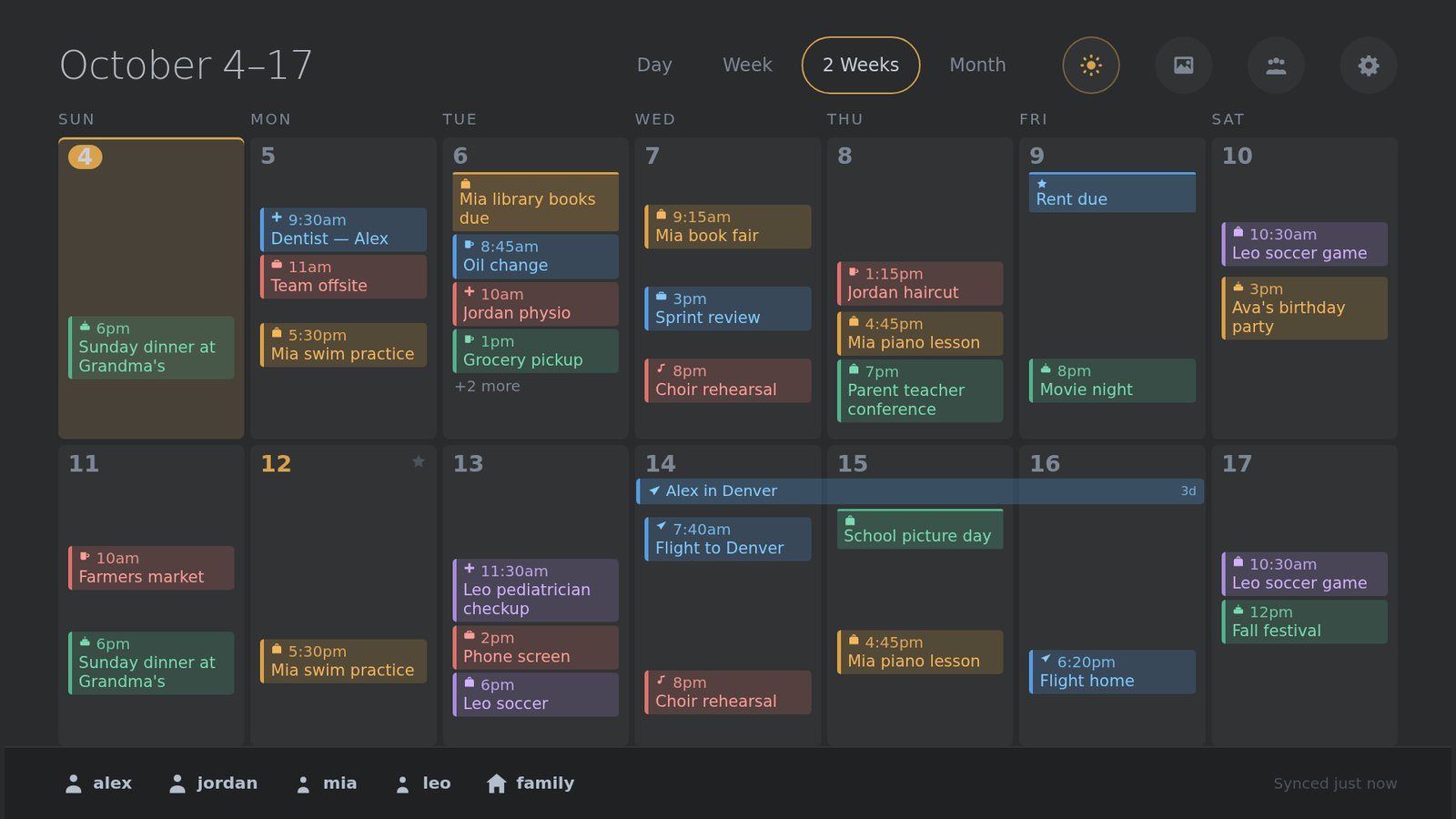
The Walldays calendar on a TV: two weeks of family events, each person in their own colour

Built for the room everyone walks through

A phone calendar is private by design. Walldays is the opposite: the week ahead, where the whole family can see it.

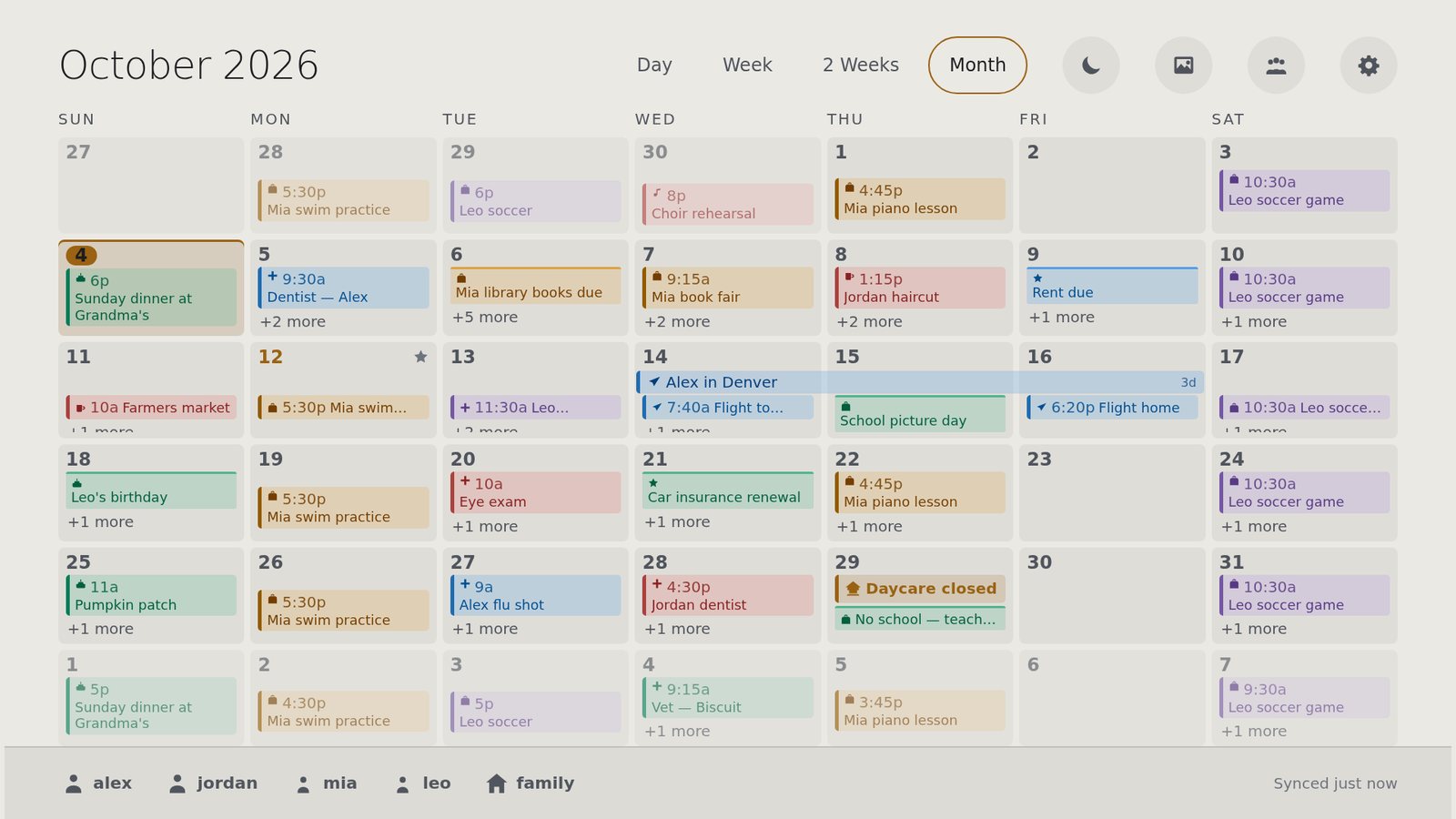
Month view with each family member in a different colour

Everyone's calendars, one view

Link each person's Google or iCloud account once. Their events appear in their colour, alongside everyone else's.

  • Google Calendar and iCloud, mixed freely in one household
  • A calendar you both share shows once, not twice
  • Two weeks, a month or a single day, with the remote's arrows or wheel
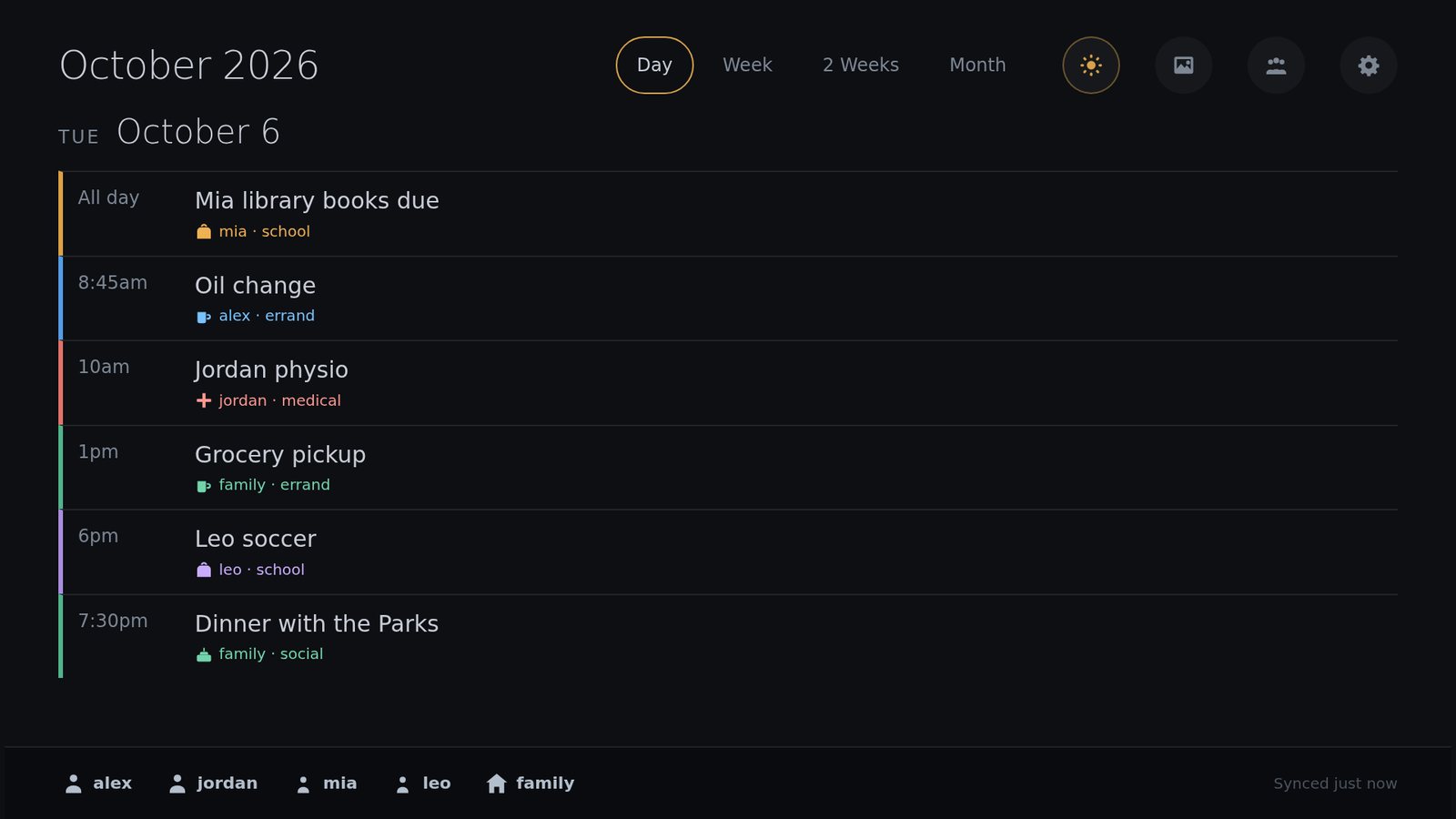
A single day with appointments marked by category icons

It knows a dentist from a birthday

Walldays reads event titles and marks what kind of thing each one is, so the week makes sense at a glance.

  • Appointments, school, travel, bills and celebrations each get an icon
  • Names in a title colour the event for that person, kids and pets included
  • School closures and work days off stand out from ordinary events
  • Keywords are yours to edit, on the TV, per person
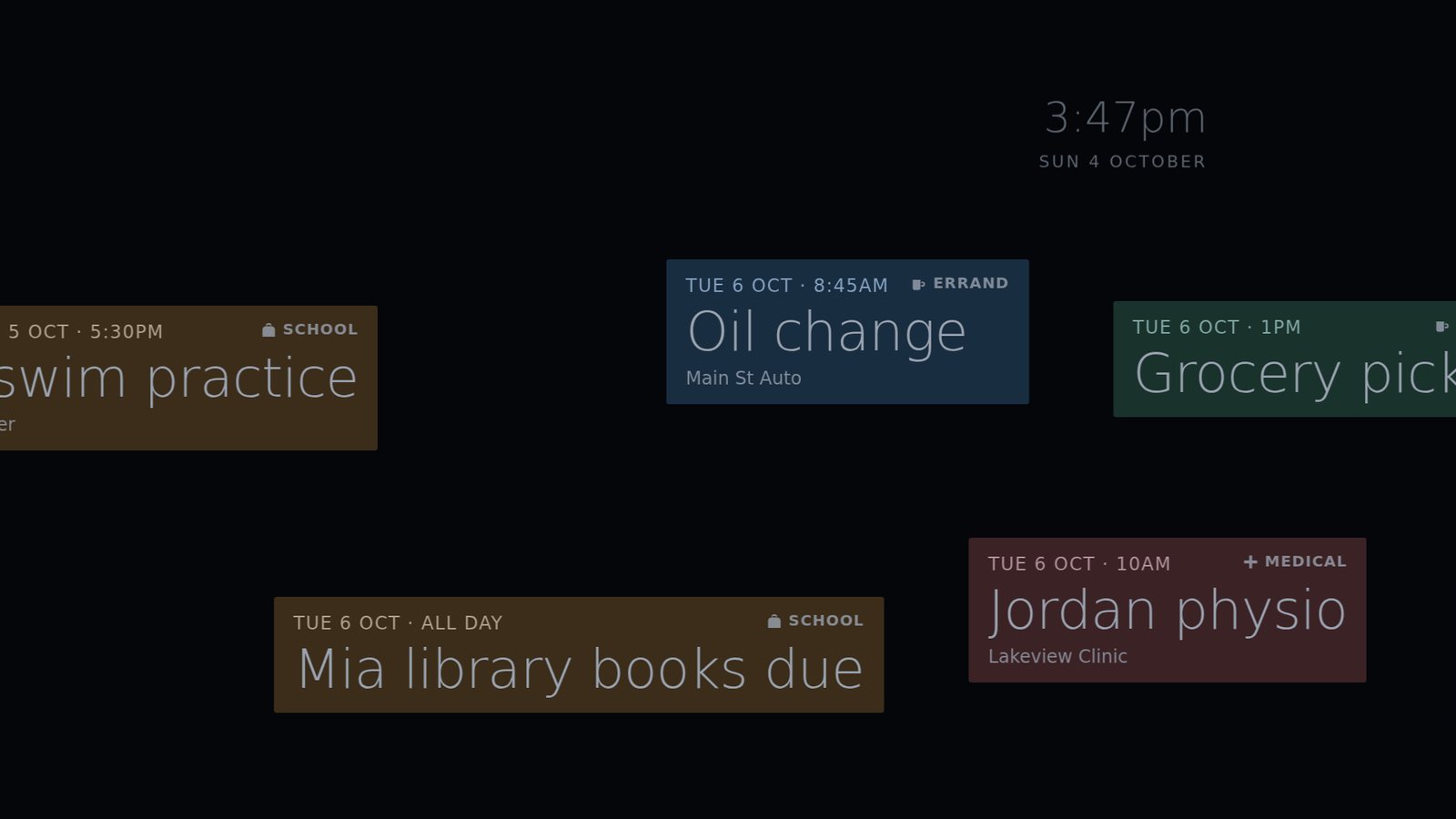
The Walldays screensaver: upcoming events drifting slowly across a dark screen

A screensaver worth leaving on

When nobody is using the remote, the next few weeks drift slowly across the screen, always moving to look after an OLED panel.

  • Shows as far ahead as you choose, from one month to twelve
  • Follows sunrise and sunset to switch between light and dark
  • With Premium, your own photos and short videos join in

Set up from your phone in about two minutes

There is nothing to type with a TV remote.

1

Open Walldays on your LG TV

The app shows a QR code and a short pairing code.

2

Scan the code

Your phone opens walldays.com. Sign up with Google or your email, and the TV is paired to your household.

3

Connect calendars

Link Google or iCloud for each person. Invite the rest of the family with another QR code, right from the TV.

Yours, and only yours

A family calendar says a lot about a family. Walldays is built to keep it between you and your TV.

Read-only

Walldays asks for permission to read calendars and nothing more. It cannot add, change or delete an event.

Encrypted sign-ins

The keys to your calendar accounts are stored encrypted, and deleted the moment you disconnect an account.

No ads, no selling

Your events are shown on your TV and nowhere else. Walldays is paid for by Premium, not by your data.

Why I made Walldays

I'm a dad. Our family's week lived in two phones, and the one screen everyone in the house actually looks at, the TV, showed none of it.

So I went looking for a family calendar for the TV. The free ones I found looked like an afterthought. The good-looking ones wanted a subscription on day one, for extras a young family simply doesn't need yet.

I wanted something that looks at home in the living room and costs nothing to start. I couldn't find it, so I built it for my own family, and now for yours.

Basil, dad and the developer of Walldays · More about me

100% usable.
100% free.

The calendar is the whole product, not a trial. Every view, every family member, every calendar you connect. No time limit, no ads, no card needed.

Premium is only for photos and videos. Your pictures stay in your own Immich photo library; Premium pays for the TV-ready copies Walldays keeps so they appear instantly. If you never want photos on the TV, you never need to pay.

Simple pricing

The calendar is free and stays free. Premium only covers the cost of keeping your photos and videos ready for the TV.

Free

$0
  • Unlimited family members and calendars
  • Google and iCloud
  • Every calendar view and the screensaver
  • Categories, keywords and colours
Create a free account

Premium Coming soon

$29.99 a year, planned
  • Everything in Free
  • Photos and short videos on the TV and in the screensaver
  • Your library stays on your own Immich server
  • Walldays keeps TV-ready copies so they load instantly
  • Albums, people, favourites and "on this day"
Not available yet

Self-hosted

$0
  • Run the Walldays server on your own NAS or PC with Docker
  • Your data never leaves your home
  • Photos from your own Immich or Synology Photos
  • For the technically comfortable
Guide coming with launch

Questions

Which TVs does it work on?

LG smart TVs running webOS. Walldays is developed and tested on a 2023 LG OLED, and we are testing models from 2021 onward before the store release. It works with the Magic Remote's pointer and wheel as well as plain arrow keys.

Can I install it today?

Not from the LG Content Store yet. Walldays is in private testing with a small number of households while it goes through LG's review. You can create an account now so you are ready when it appears.

Which calendars can I connect?

Google Calendar and Apple iCloud today, in any mix, for as many people as you like. Outlook and subscribed calendar feeds are planned.

Can Walldays change my calendar?

No. It asks Google for read-only access, and only reads from iCloud. Add and edit events on your phone as you always have; they appear on the TV within about ten minutes, or straight away with Sync now.

Why does iCloud need an "app-specific password"?

That is how Apple lets other apps read your calendar without knowing your Apple ID password. You create one at account.apple.com, it only works for this purpose, and you can revoke it at Apple whenever you like.

Is it really free? What is the catch?

There isn't one. The calendar costs very little to run, so it is free for good: no trial, no ads, no card. Premium exists only because storing photos and videos costs real money.

What do I need for photos on the TV?

Premium, once it opens, and your own Immich photo server that can be reached from the internet. Your originals never leave it. Walldays keeps smaller, TV-sized copies of the albums you pick so the slideshow starts instantly, and Premium pays for that storage.

Do the kids need accounts?

No. Add each child, or the dog, as a person in your household. Any event with their name in the title takes their colour.

Will it burn in my OLED?

Walldays is designed for a screen that is on a lot: a dark theme after sunset, a layout that shifts by a few pixels every ten minutes, and a screensaver that never stops moving. Your TV's own panel care still applies.

How do I delete my data?

Disconnecting a calendar account deletes its events and saved sign-in immediately. To delete your whole account and household, write to [email protected] from the address you signed up with.

How do I get help?

Email [email protected]. Walldays is made by a very small team, so a person who knows the app will answer.

What families say

Every review here is written by someone with a Walldays account and a TV on their wall.

No reviews yet, and we will not make any up.

Walldays is brand new and in private testing. The first reviews will come from the families trying it now, in their own words.

Put the week where everyone can see it.

Free for the whole family.

Create a free account